In this article
You can exclude categories, sub-categories and attributes from your report. This is useful for generic catch-all categories or for excluding uncaptured attributes from your reports. To do this:
- Click the cogwheel icon next to the category name to open the drop-down menu.
- Select Exclude from report - .
- Click the cogwheel icon next to the category name to open the drop-down menu.
- Select Include in report - .
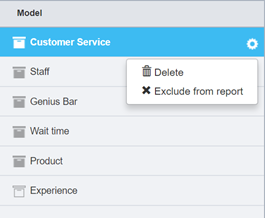
Figure 1 - Excluding a category from a report
Once you have selected to exclude the category, it becomes grayed out and italicized. To include a previously excluded category back into the report:
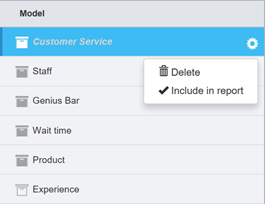
Figure 2 - Including a previously excluded category
Once you have completed excluding or including your categories, save the model version to Active. The changes will appear in your report the next time the Text Analytics task is run. This will happen automatically if you have used the Auto-sync categories list function when setting up your Text Analytics task in Forsta Plus. Refer to the Genius part of the Professional Authoring documentation for further details.