In this article
The Uncategorized Comments folder appears after you have tested your model against all the verbatim from the surveys that are currently saved in Model Builder, or the filtered set of verbatim if you’ve selected to filter by a specific survey or question - .
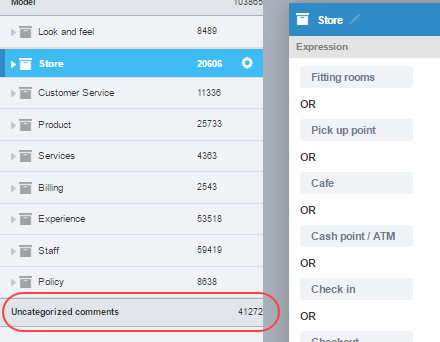
Figure 1 - The Uncategorized Comments folder
The folder contains all comments that have not been captured by the existing model. You can explore these comments to find new categories, sub-categories and attributes or add to existing categories, sub-categories and attributes to improve your model - . If you have an active Concept Miner core, you might get some quick and easy wins from looking at the tags that have been assigned to any verbatim in the Uncategorized Comments. We’ve seen that Concept Miner is good at working out categories in cases where it hasn’t been easy to find a keyword to place that verbatim into the category .
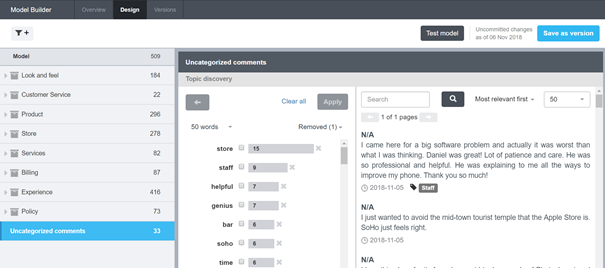
Figure 2 - The Uncategorized comments
You can choose to report on your Uncategorized Comments in your report. To do this, ensure that you have the Uncategorized Comments code (starts with a prefix of uc) in your category list in the Database Designer table. If you do not want to report on Uncategorized Comments, do not add this code to your category list.