In this article
To remove a model from your model list, click in the cogwheel on the Model List page and select Archive; the model will be archived.
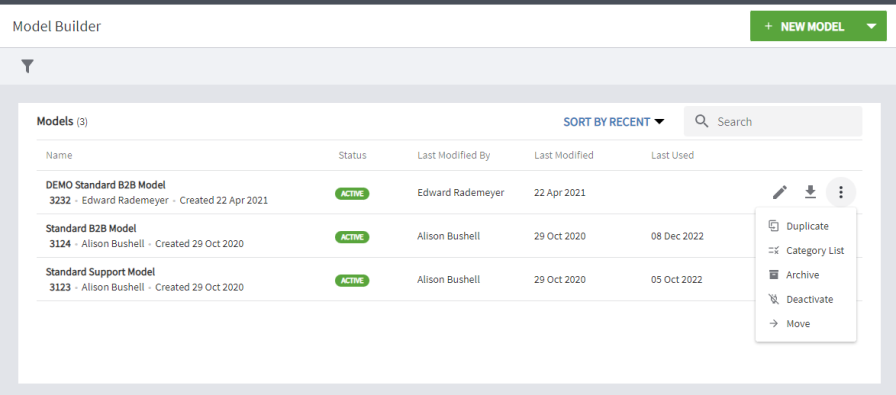
To view all archived models, navigate to the top menu and click the arrow next to Model Builder. Choose Archived models
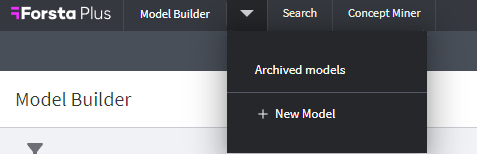
Figure 1 - Accessing the Archived Models page
From the Archived Models page you can View the archived model or Restore it. Restoring an archived model puts it back into the Active Model list page, where you can continue to use and edit it.
Exporting Models
The Export Model menu item is located on the Model List page:

Click on the option in the menu to download the model as an Excel spreadsheet - . This will be in the same format as that used to import a model.
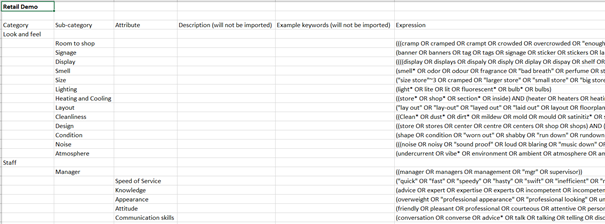
Figure 2 - Example of a model spreadsheet