In this article
Remember that you can store a maximum of five cores in your account, and once you reach the maximum you will need to delete unnecessary cores to make space for new. You should always delete cores that you have created before reaching the one that you are going to use in your model (i.e. those that you are not using).
If you delete a core that is not being used in a model, a message is displayed - :
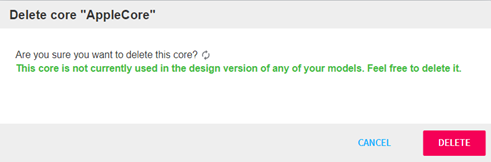
Figure 1 - Deleting an unused core
If you choose to delete a core that is being used in the Design version of a model, you will be presented with a warning that tells you which design version model it is currently attached to - . You can still delete the core, but you must understand that any expressions that reference the core will break and will need to be edited.
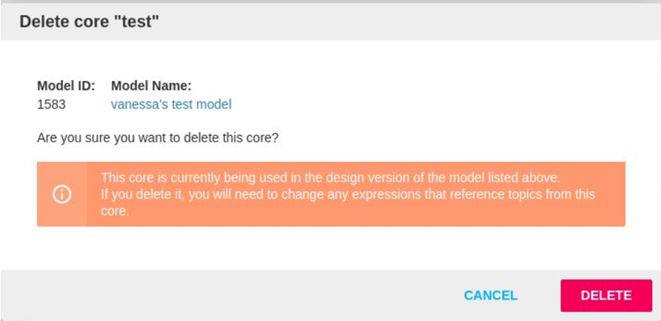
Figure 2 - Deleting a core
If you go ahead and delete the core, the core will be deleted from your core list. If you then go into the model that was using it, any categories that have topic references will have errors - .
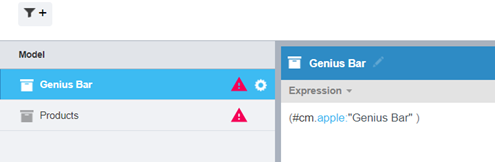
Figure 3 - Categories with errors
You will need to remove these references or update them to a different core alias and topic name. If you have a hierarchical structured model, it is best to start in the lowest part of the hierarchy (i.e. attribute or sub category level, whichever is the lowest) as you will see errors on all parts of the hierarchy if there is a reference in an attribute. If you don’t have any other references in the rest of that hierarchy, once you fix the attribute, the error will go.
If you delete a core, but you have the same topic names in your new core, you can change the alias to be the same as the deleted core and attach the new core to the model. That will mean that your model will no longer be broken (as long as all the topics that are referenced in the model are contained in the core).
If your core is attached to an active version of the model (i.e. the version that is currently being used when running the Text Analytics task in Forsta Plus), you will be told that the core is in use and you will not be able to delete the core as the Delete button will be disabled - . To delete that core you will need to save a new version of your model with a new core (or without a core) and with the expressions edited so that they can be saved.
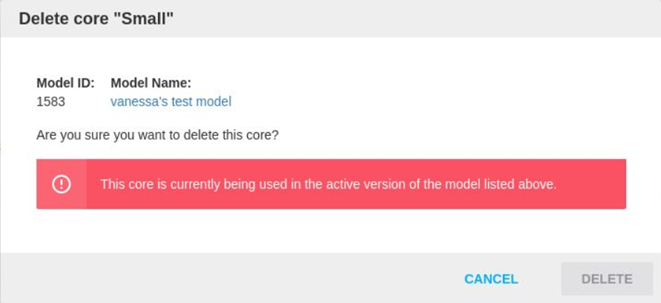
Figure 4 - Deleting an "active" core